Motiff: Canvas AI
AI Inspiration & Canvas Integration

Background
01/ Our Vision
Motiff aims to bridge the fragmented ideation gap by embedding a native, AI-powered inspiration engine.
To challenge legacy giants like Figma, Motiff set out to leverage generative AI. However, the initial brief I received was a completely blank slate: the PRD simply asked us to "build an innovative AI feature" with no defined boundaries, use cases, or user pain points.
Rather than jumping into visual designs based on raw assumptions, I advocated for a hard pause to run contextual interviews with senior designers. I wanted to ensure we weren't just building a flashy marketing gimmick, but a tool that solved real workflow friction.
This research became the turning point of the project, allowing us to transform a vague stakeholder ask into a sharply defined product vision: The AI Inspiration Engine—grounding our feature boundaries in real user needs to drive actual business growth.
Research
02/ Competitor Analysis
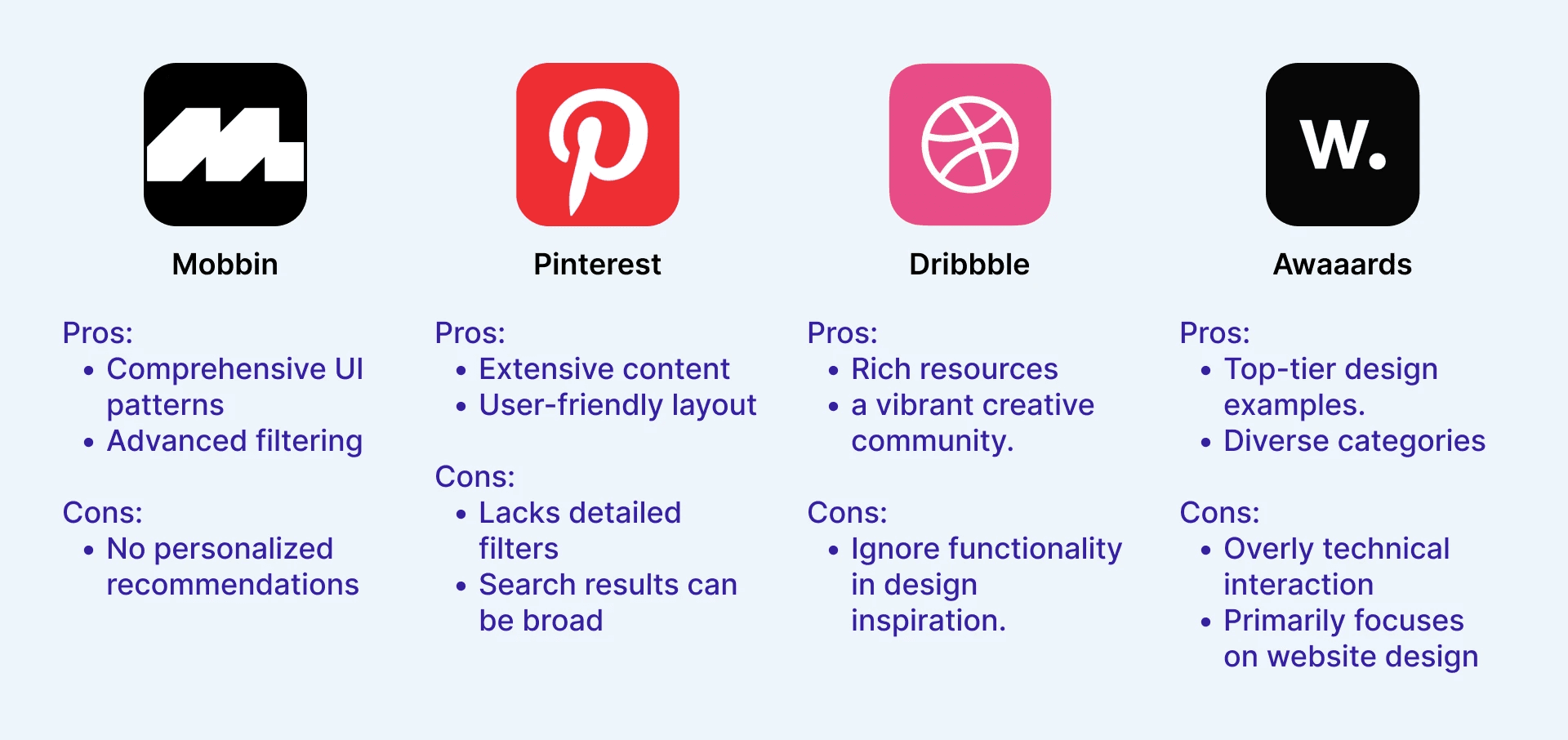
Although our app is something that hasn’t been done before, we wanted to take a closer look at the companies that are used as the inspiration searching tools, and see how to close the gap between inspiration search and utilization to canvas tools. So, I conducted a competitive teardown. By mapping out their distinct pros and cons, we wanted to uncover why existing third-party databases force designers into a compromise—allowing us to identify the exact market opportunities for a native, AI-driven inspiration tool that bridges passive exploration with active, vector-level execution.
Research
03/ User Survey & Interviews
To ground our competitive findings in real-world friction, I conducted a user survey and structured interviews with active product designers. Moving beyond market-level gaps, we wanted to capture the exact pain points designers face when sourcing inspiration on traditional tools, while simultaneously gauging their baseline expectations and comfort levels with emerging generative AI workflows.


User Pain Point
And after these surveys and interviews, we can conclude that:
of designers spend over a third of their ideation phase switching across 3+ platforms, causing cognitive overload and constant creative disruption.
74%
of designers struggle to articulate abstract visual ideas into text queries, leading to irrelevant search results and massive visual fatigue.
68%
of designers prefer an embedded AI assistant over automated generators, seeking direct translation from vague inspiration to vector-level execution on canvas.
85%
Define & Ideation
04/ User Journey Map
With a mountain of sticky notes gathered from survey and interview in hand, our next challenge was turning these scattered insights into a concrete blueprint. We kicked off the Define & Ideation phase by grouping our research findings into an affinity wall and mapping them directly onto a User Journey Map. By visualizing the emotional highs and lows of how designers search for and apply inspiration, we were able to structure a logical, friction-free user flow that seamlessly layers our users' highly anticipated AI experiences right into their existing muscle memory.

Define & Ideation
05/ HMW
Through this mapped-out user flow, we pinpointed 5 critical touchpoints across the 5 stages of how designers search for and utilize inspiration. This structured journey gave us the exact focal points we needed; instead of guessing where to design, we turned these friction areas into 2 targeted 'How Might We' (HMW) questions. These HMWs became our launching pad for the entire ideation phase, allowing us to brainstorm specific, high-utility solutions grounded in real user struggles before we drew a single high-fidelity wireframe.
embed AI as a Cognitive Co-pilot during inspiration search—progressively revealing its guidance to build trust, while actively expanding the user's own design vocabulary?
HMW
How might we extract the key visual insight from the user’s own frame and apply it directly there—by running vector search on the part they point to?
HMW
Ideation & Solution Discovery
06/ From HMW Brainstorming to 3 Core Feature Outcomes
Built upon our 5 HMW questions, we kicked off a structured ideation session mapping potential solutions against the 4 key stages of how designers search for inspiration (Intent Definition, Exploration & Discovery, Evaluation, and Canvas Execution).
To narrow down a high volume of raw ideas, our team conducted a dot-voting exercise to evaluate feasibility against user impact. We focused on eliminating high-friction workflows while preserving designers' natural creative muscle memory.


Main features
And after these brainstorm and vote, we can conclude 3 features, including:
AI Chatbot Copilot
is the 1st feature we ideated, to translate vague intent into curated visual patterns.
AI Analysis
is the 2nd feature we ideated, to deconstruct reference images into structured design tokens.
is the 3rd feature we ideated, to power instant visual discovery directly on active canvas.
Canvas- Quick Search
Where We Focused & Why
Early research made it clear: the AI Chatbot was our high-impact core, so I led its design from scratch. We then built AI Analysis and Canvas Quick Search to close the search-to-execution loop.
HMW: embed AI as a Cognitive Co-pilot during inspiration search—progressively revealing its guidance to build trust, while actively expanding the user's own design vocabulary?
NOte
I design around AI—focusing on how AI results earn trust and stay fully visible to the user.
STEP 1
I explored where AI should live in the product: how to feel like a handy plug-in, while still showing visual search results in full.

Step 2
The last three two-layer, full-window layouts felt most workable. We took those three options to hi-fi.
A: Search-bar AI — familiar like a traditional search bar, but the dropdown chat covers the canvas and breaks the flow between chatting and browsing results.
B: AI are shaped to conversational, which is how people feel AI should be. it's minimized to the right coner, the hidden problem still exist.
C: still conversational AI, while the AI and results are seperated into 2 panel, each chat can be un-hiddenly refelected to the left. and both pabel can be collapse to disappear.

STEP 3
We chose C for the clearest split between chat and results.
Next: how do we curb AI’s overconfidence, and cut the time users spend setting fixed search filters by hand? We landed presets that lock/filter AI results, while AI still helps explore open-ended possibilities.

DESIGN AROUND AI
How does AI earn trust? Treat it as a sandbox—make the process visible. AI is a co-pilot: when intent is unclear, confirmation returns to the human through clickable choices, not free typing.
Scrolling back up is painful, so each search run (v1, v2…) collapses into a clickable link that saves those results.

DESIGN AROUND AI
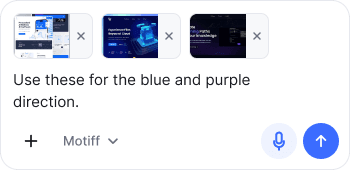
Any media can be uploaded—text, images, files, and audio.


take a look at the prototype
Feature 2
Intelligent Inspiration Analysis
Deconstructing AI-generated inspiration into structured design assets.
Feature 3
Canvas-Contextual AI Discovery
Canvas-aware asset searching fueling multi-modal design inspiration.
09/ Reflection: What's Next for AI Design?
“Building these AI features made me realize that slapping a chatbot into a UI isn't the endgame. Here are my honest takeaways on where design tools are actually heading.”
Right now, AI forces visual designers to type heavy text prompts. It’s clunky. As we start working with richer formats—like dropping 3D models into Spline or referencing raw videos—a basic chat sidebar isn't enough. The future UI must be natively multi-modal, allowing drag-and-drop visual inputs without fighting the main canvas for space.
Finding the right vector (like our Quick Search) is great, but applying it manually is slow. Meanwhile, tools like Lovable are bypassing the "pixel-pushing" phase entirely, turning human intent directly into functional code. The future isn't about replacing Figma; it’s about bridging this gap—combining the crazy speed of AI generation with the granular, hands-on control of a classic canvas.